For gamers seeking a fast, responsive display without breaking the bank, 27-inch monitors with 144Hz (or higher) refresh rates offer a strong balance of size, clarity, and performance. This guide highlights five budget-friendly 27-inch options that deliver high refresh rates, solid color, and practical features like FreeSync. Each pick is evaluated for gaming responsiveness, image quality, and value, helping you choose a monitor that keeps pace with modern titles without a premium price.
| Product | Brand | Refresh Rate (Max) | Panel Type / Curve | Notable Feature |
|---|---|---|---|---|
| ASUS TUF VG27VH1B | ASUS | 165Hz (Supports 144Hz) | 27″ Full HD, 1500R Curved | ELMB, Adaptive-Sync, 1ms response |
| LG 27GS60QC-B Ultragear | LG | 180Hz | 27″ QHD, 1000R Curved | UltraGear performance, HDR10 |
| Viewedge 27″ Gaming Monitor | Viewedge | 180Hz (Supports 144Hz/165Hz) | 27″ IPS, 1080p | 1ms, 110% sRGB, built-in speakers |
| Sceptre E275B-FWD168 | Sceptre | 165Hz | 27″ IPS/VA (variable), 1080p | FreeSync Premium, built-in speakers |
| Acer KB272 P6bi | Acer | Up to 144Hz | 27″ IPS, Full HD | Low Blue Light, VRB 1ms |
Below, five carefully chosen 27-inch monitors are reviewed in concise, objective terms. Each entry highlights what makes the model a solid choice for budget-conscious gamers who still want fast, fluid gameplay and reliable performance.
ASUS TUF VG27VH1B 27” Curved Monitor

The ASUS TUF VG27VH1B combines a 27-inch Full HD panel with a 165Hz refresh rate, designed for smooth, responsive gameplay. It uses ASU ELMB (Extreme Low Motion Blur) for a claimed 1ms response time when paired with Adaptive-Sync, reducing ghosting and tearing for fast-paced titles. FreeSync Premium support helps synchronize the monitor with compatible GPUs, delivering steadier frames without stutter. The 1500R curved panel emphasizes immersion, while operational comfort features support long gaming sessions.
LG 27GS60QC-B Ultragear Curved Gaming Monitor

LG’s 27GS60QC-B UltraGear offers a 27-inch curved screen with a high 180Hz refresh rate and a 1ms GtG response, providing rapid action handling for competitive play. The 1000R curvature creates a pronounced immersion that many gamers appreciate for tracking on the periphery. It supports HDR10 for brighter highlights and richer color in supported titles and features a dual HDMI setup and DisplayPort. This model targets those who want a more immersive display without sacrificing fast response times.
Viewedge Gaming Monitor 27″ 180Hz

The Viewedge 27-inch model targets high refresh-rate gaming with up to 180Hz support and a claimed 1ms response time on an IPS panel. It emphasizes color accuracy with 110% sRGB coverage and a flicker-free backlight, helping reduce eye strain during long sessions. Built-in speakers add convenience, and FreeSync compatibility reduces tearing when paired with compatible GPUs. It remains a strong option for gamers who want solid color performance alongside fast motion handling.
Sceptre New IPS 27-Inch Gaming Monitor
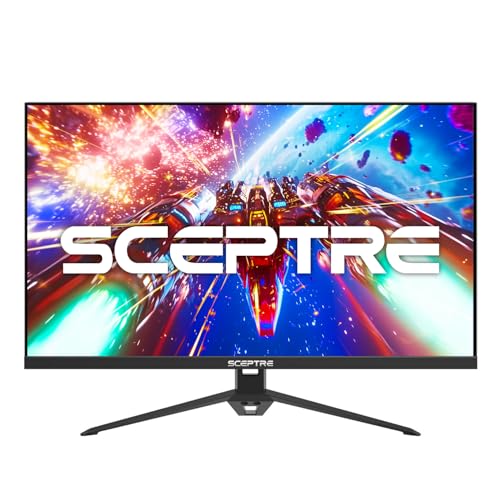
The Sceptre E275B-FWD168 offers a 27-inch IPS panel with refresh rates up to 165Hz and a 1ms response time, blending fast action handling with color accuracy. FreeSync Premium helps keep frame pacing smooth, and the model includes HDMI and DisplayPort inputs along with built-in speakers. This monitor provides a balance between rapid motion support and multimedia convenience for a budget-conscious buyer who values quick responsiveness and built-in audio.
Acer KB272 P6bi 27″ IPS Full HD
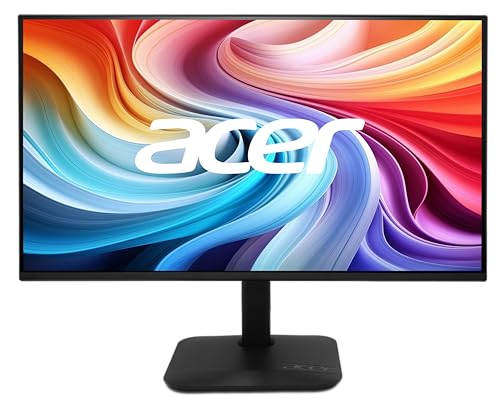
The Acer KB272 P6bi delivers 27-inch IPS color and a crisp Full HD image with up to 144Hz refresh capability. It includes AMD FreeSync to minimize stutter and tearing, a 1ms VRB-like response in practice, and low blue-light modes to reduce eye fatigue. The monitor’s tilt options and ergonomic tilt design support comfortable viewing angles, making it a practical choice for both gaming and office tasks on a budget.
Buying Guide: What To Consider When Shopping For A Budget 27-Inch, 144Hz Monitor
When selecting a budget 27-inch, high-refresh monitor, consider these core factors to balance value with performance:
- Refresh Rate And Response Time: A higher refresh rate (144Hz–180Hz) reduces motion blur, especially in fast-paced games. Look for a low response time (1ms to 5ms GTG) to minimize ghosting. Some models offer overclocking to reach higher rates.
- Panel Type And Color: IPS panels typically provide better color accuracy and viewing angles than VA or TN panels, while some models include wide color gamuts (sRGB 99% or higher). If you care about image quality in addition to gaming, an IPS 1080p or QHD panel is a solid pick.
- Curvature And Immersion: Curved displays (often 1800R to 1000R) enhance immersion, but curvature can affect viewing distance. Consider your desk depth and preferred seating position.
- Adaptive Sync And FreeSync/G-Sync: FreeSync (or G-Sync Compatible) reduces tearing and stutter by synchronizing the monitor with your GPU. Ensure compatibility with your graphics card for optimal results.
- Resolution And Clarity: 1080p on a 27-inch screen is common and affordable; consider 1440p if you want crisper text and more desktop space and you’re within budget constraints.
- Ports And Connectivity: Look for HDMI and DisplayPort options to maximize compatibility with PCs and consoles. Built-in speakers are convenient but often not high-fidelity compared to external audio.
- Ergonomics: Tilt, height adjust, and VESA mount support improve long-term comfort, especially for extended gaming or work sessions.
- Eye-Care Technologies: Flicker-free backlights and blue-light reduction can reduce eye strain during long sessions.
- Overall Value: Compare features, build quality, warranties, and user reviews to gauge long-term reliability and performance for the price.
Each model listed here emphasizes a balance of refresh rate, color performance, and practical features at a budget-friendly price point. Depending on whether you prioritize immersion through curvature, color accuracy for productivity, or raw gaming speed, one of these options should align with your needs without exceeding a tight budget.